Lokalizacija.One u potpunosti podržava Flutterov izvorni ARB format. Umjesto ručnog uređivanja složenih JSON struktura s metapodacima, možete upravljati prijevodima svoje mobilne aplikacije putem korisničkog sučelja i izvesti ih izravno u svoj Flutter projekt.
Zašto programeri biraju naš Flutter API?
- Izvorni ARB format: Generiramo valjane .arb datoteke kompatibilne s službenim flutter_localizations paketom i intl.
- Automatizirani metapodaci: Automatski umetnemo @@locale ključ, osiguravajući da su vaše ARB datoteke uvijek valjane i prepoznate od strane Flutter kompajlera.
- Spremno za mobilne uređaje: Savršeno za upravljanje dinamičkim sadržajem u vašim Android i iOS verzijama iz jednog izvora.
Napredno upravljanje projektima
Povećajte lokalizaciju svoje mobilne aplikacije bez glavobolje.
Ujednačen radni tijek: Upravljajte iOS i Android prijevodima na jednom mjestu. Izvezite kao ARB za Flutter, ili odvojeno XML/Strings ako je potrebno.
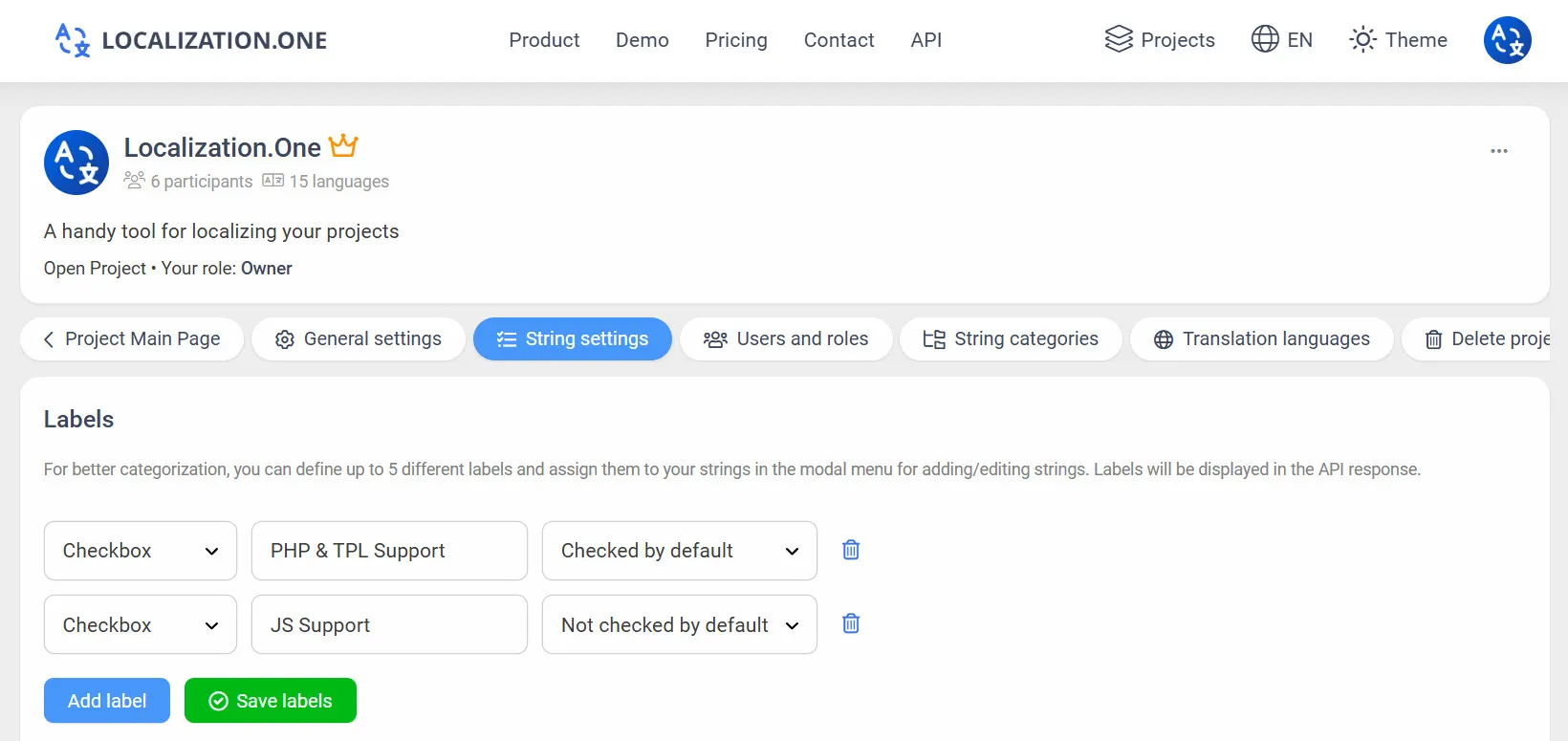
Oznake & Tagovi: Označite stringove s prilagođenim oznakama poput "Uvod" ili "Postavke" za filtriranje izvoza putem API-ja.
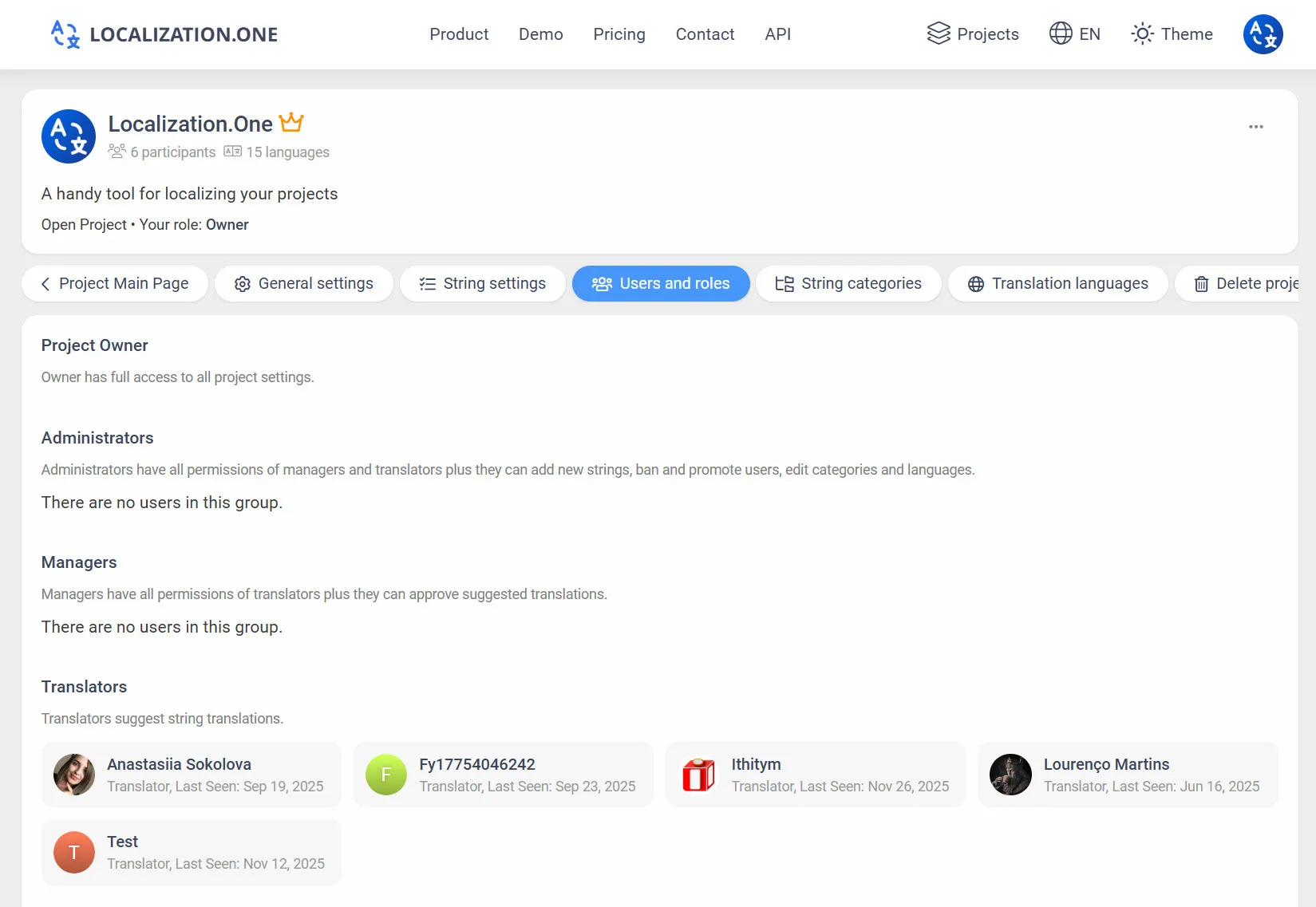
Suradnja tima: Pozovite prevoditelje i copywritere. Dodijelite granularne uloge (Vlasnik, Administrator, Menadžer, Prevoditelj).
Webhooks: Automatski pokrenite Codemagic ili GitHub Actions gradnje kada se prijevodi ažuriraju.
Kako integrirati
Opcija 1: Ručni izvoz (UI)
Savršeno za lokalni razvoj.
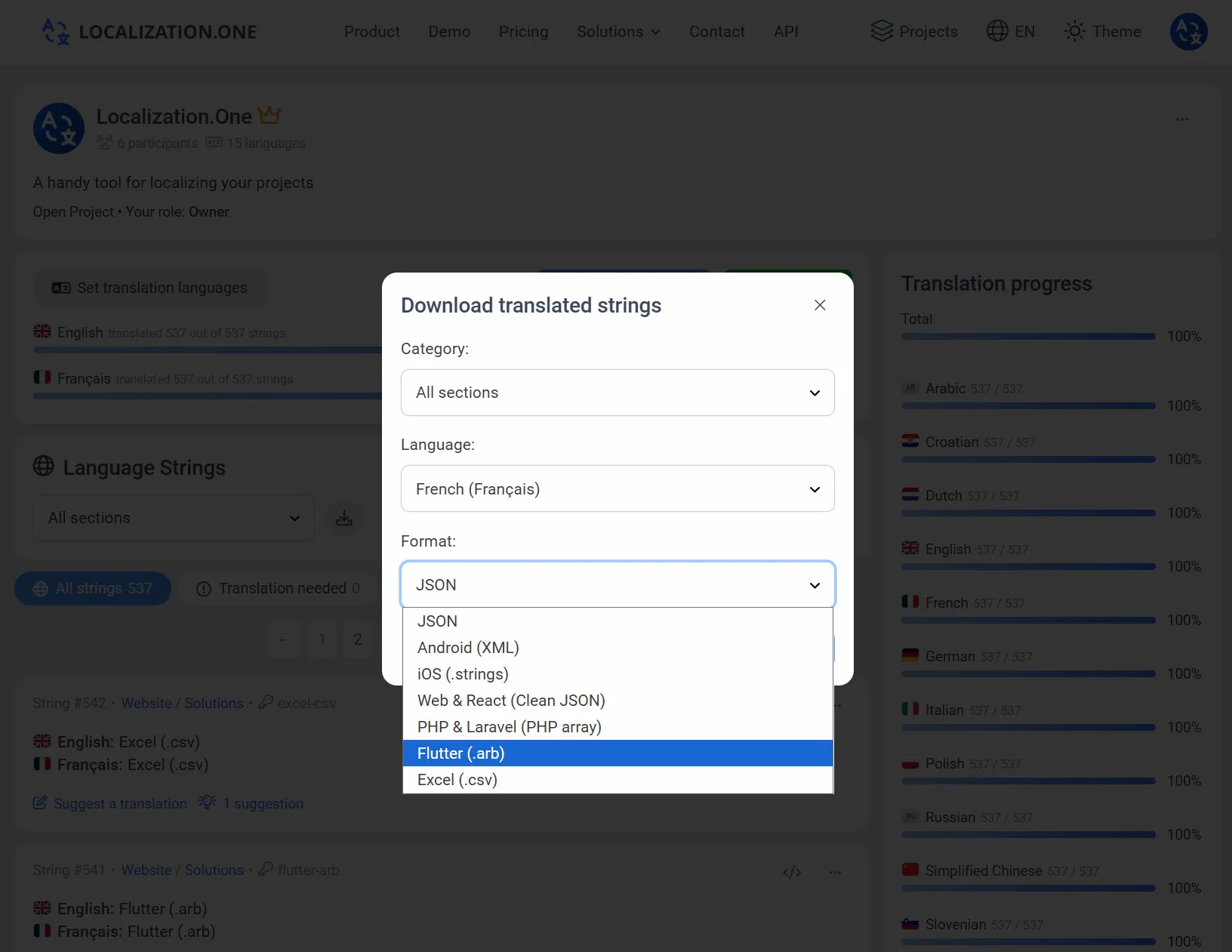
- Idite na svoj Projektni nadzor.
- Kliknite na Preuzmi gumb.
- Odaberite Flutter ARB iz padajućeg izbornika formata.
- Odaberite jezik i preuzmite .arb datoteku.
Opcija 2: Automatizirajte s API-jem (CI/CD)
Preuzmite najnovije prijevode izravno u svom gradilištu. Proslijedite format=arb parametar.
bash
# Preuzmite engleske prijevode
curl "https://api.localization.one/{YOUR_API_KEY}/getTranslations?translation_language=1&format=arb" > lib/l10n/app_en.arb

# Preuzmite španjolske prijevode
curl "https://api.localization.one/{YOUR_API_KEY}/getTranslations?translation_language=2&format=arb" > lib/l10n/app_es.arb
Opcija 3: Push putem Webhooks
Konfigurirajte Webhook URL u postavkama vašeg projekta kako biste potpuno automatizirali proces.
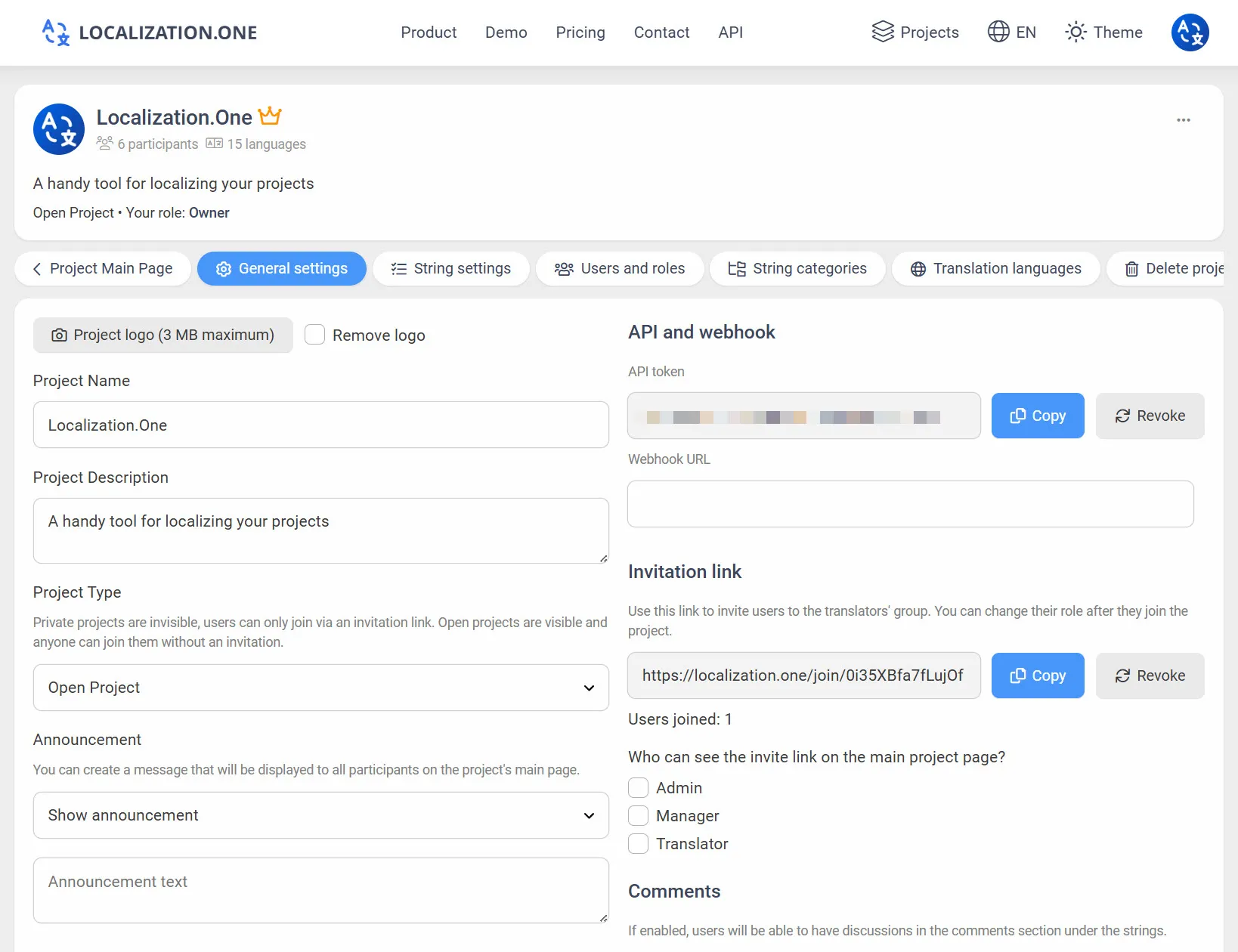
- Brza ažuriranja: Vaš poslužitelj prima POST zahtjev ubrzo nakon promjena (obično unutar 5 minuta).
- Pokrenite gradnje: Povežite webhooks s vašim CI/CD pružateljem kako biste automatski ponovno izgradili svoju aplikaciju kada se sadržaj promijeni.
Često postavljana pitanja
Moram li ručno dodati @@locale?
Ne. Naš API automatski umetne @@locale ključ na vrh ARB datoteke na temelju jezičnog koda koji zatražite (npr., "@@locale": "en"), tako da je datoteka odmah spremna za korištenje.
mogu li koristiti oznake poput {name}?
Da. Flutter ARB podržava ICU sintaksu. Možete pisati {name} ili {count, plural, ...} u svojim prijevodima, i oni će biti ispravno izvođeni.
Ostali mobilni formati:
- Nativni razvoj za Android? Pogledajte Android XML.
- Nativni razvoj za iOS? Pogledajte iOS Strings.
Spremni za automatizaciju svoje Flutter lokalizacije? Kreirajte svoj besplatni račun danas.