Lokalizacija.One premošćuje razliku između programera i prevoditelja. Izvezite svoje projektne stringove u univerzalni CSV format koji se može otvoriti u Microsoft Excel, Google Sheets, ili bilo kojem softveru za proračunske tablice.
Zašto koristiti naš CSV izvoz?
- Univerzalna kompatibilnost: Otvorite svoje podatke o lokalizaciji u Microsoft Excel, Google Sheets, ili bilo kojem softveru za proračunske tablice za pregled i analizu.
- Spremno za Excel: Naši datoteke uključuju BOM marker, osiguravajući ispravno kodiranje znakova (UTF-8) kada se otvore izravno u Excelu. Nema više pokvarenih znakova.
- Sigurnosna kopija podataka: Držite lokalnu offline kopiju svih svojih prijevoda radi sigurnosti i usklađenosti.
Napredno upravljanje projektima
Osiguravamo moćne alate za održavanje vaše lokalizacije organiziranom, bez obzira na to koliko vaš projekt raste.
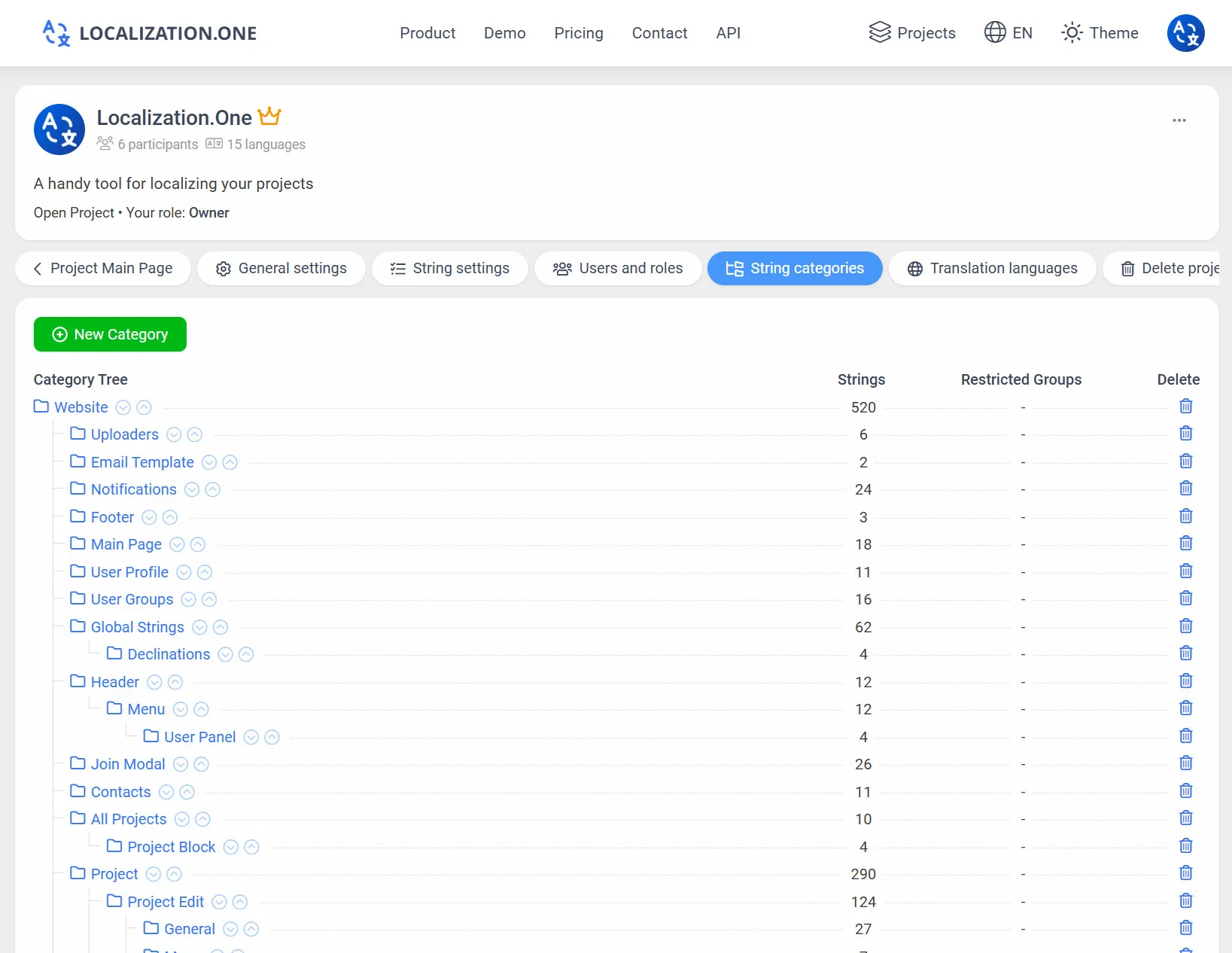
Kategorizacija: Grupirajte svoje stringove u logičko stablo mapa (npr., Marketing > E-mailovi, Pravna > Uvjeti).
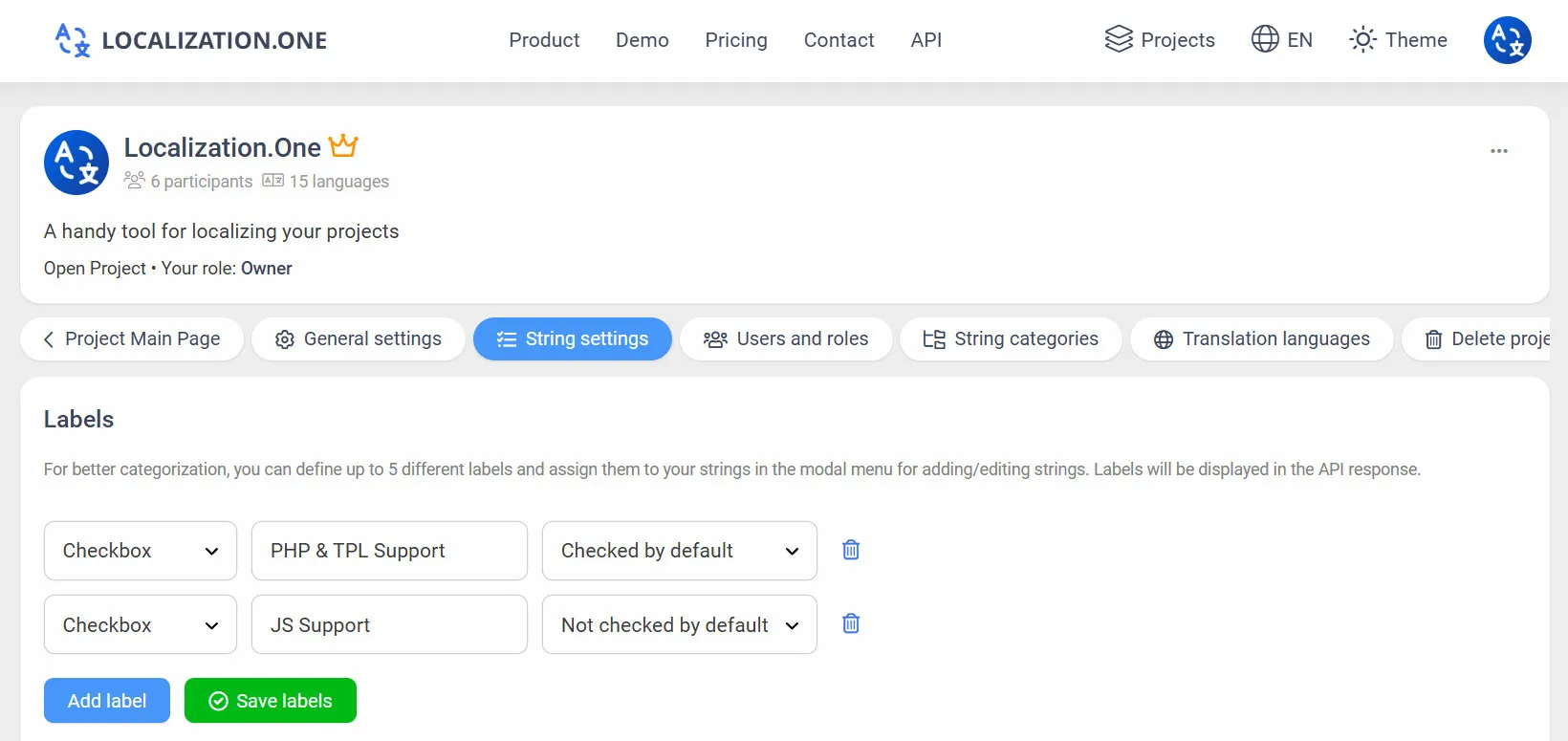
Oznake i tagovi: Označite stringove prilagođenim oznakama kako biste filtrirali koje specifične dijelove projekta želite izvesti u CSV.
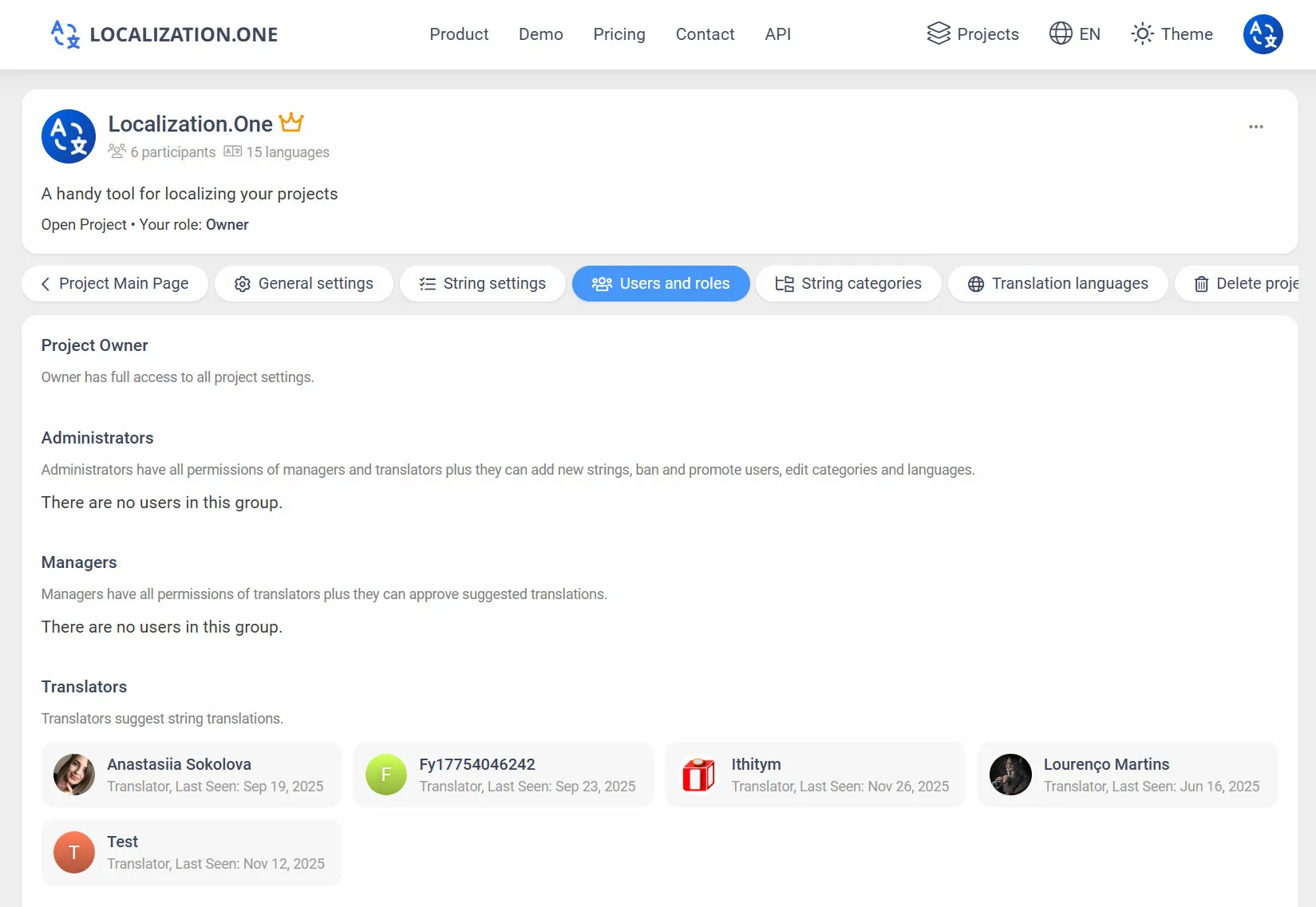
Uloge i dozvole: Pozovite neograničen broj članova tima i dodijelite granularne uloge (Vlasnik, Administrator, Menadžer, Prevoditelj).
Webhookovi: Primajte obavijesti na svom poslužitelju kad god se prijevodi ažuriraju ili odobre.
Kako integrirati
Opcija 1: Ručni izvoz (UI)
Korisno za dijeljenje datoteka s prevoditeljima.
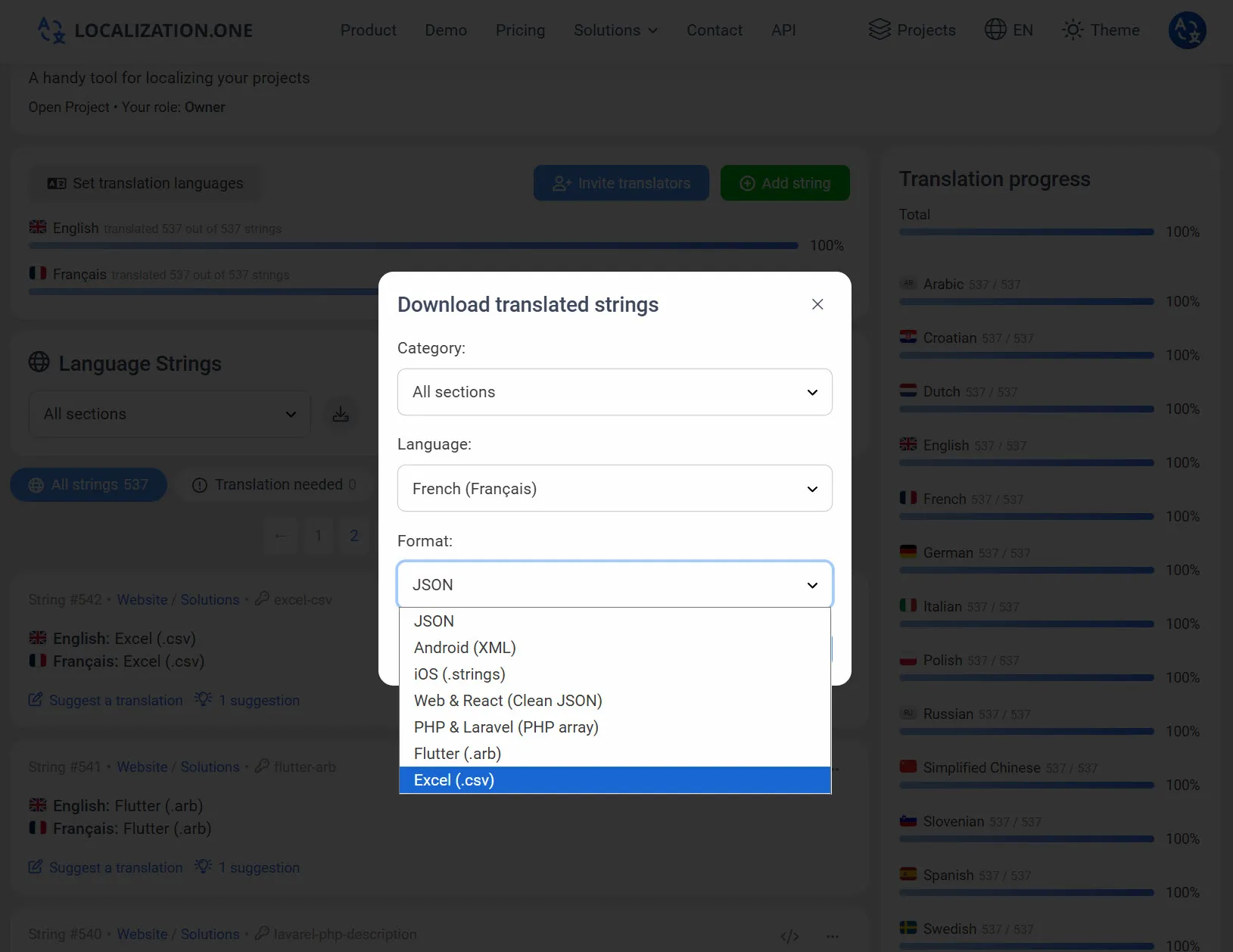
- Idite na svoju Projektnu nadzornu ploču.
- Kliknite na Preuzmi gumb.
- Odaberite CSV (Excel) iz padajućeg izbornika formata.
- Odaberite jezik i preuzmite .csv datoteku.
Opcija 2: Automatizirajte s API-jem
Preuzmite najnovije prijevode kao CSV datoteku za izvještavanje ili sigurnosne kopije. Proslijedite parametar format=csv.
bash
# Preuzmite engleske prijevode kao CSV
curl "https://api.localization.one/{YOUR_API_KEY}/getTranslations?translation_language=1&format=csv" > export_en.csv
Opcija 3: Push putem Webhookova
Konfigurirajte Webhook URL u postavkama svog projekta kako biste primali obavijesti o ažuriranjima prijevoda.
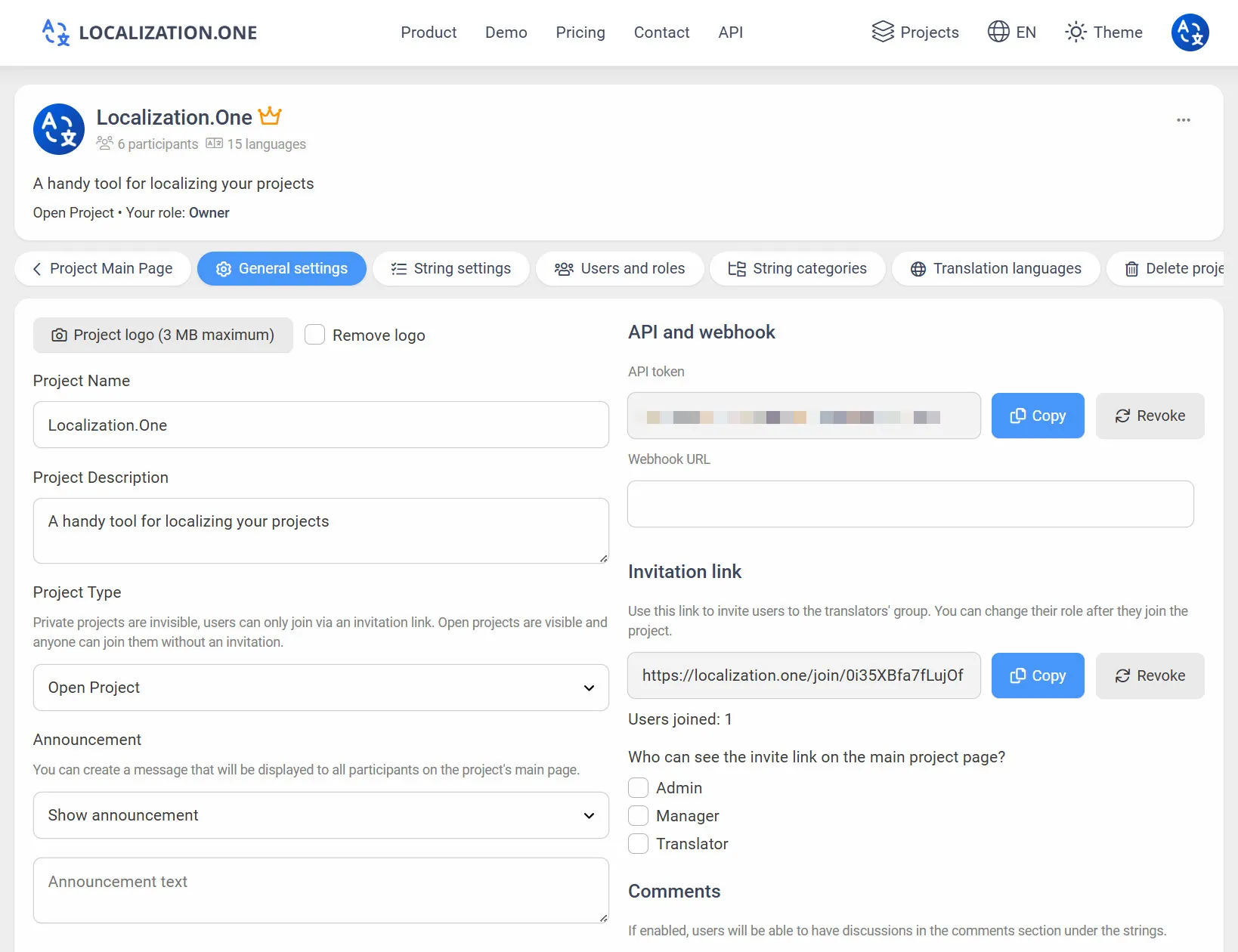
- Brza ažuriranja: Vaš poslužitelj prima POST zahtjev ubrzo nakon promjena (obično unutar 5 minuta).
- Sinkronizacija vanjskih sustava: Automatski šaljite ažuriranja u alate trećih strana TMS ili izvještavanja.
Često postavljana pitanja
Podržava li datoteka posebne znakove?
Da. Dodajemo UTF-8 BOM marker na početak datoteke. To osigurava da Microsoft Excel otvara datoteku s ispravnim kodiranjem znakova, čak i za jezike poput ćirilice, kineskog ili arapskog.
mogu li ponovno uvesti ovu datoteku?
Trenutno, ovaj format je samo za izvoz i izvještavanje. Preporučujemo da izmjene radite izravno u sučelju Localization.One kako biste osigurali kontrolu verzija i dosljednost.
Integrirajte s kodom:
- Trebate format za programere? Pogledajte JSON za React ili PHP za Laravel.
Spremni za pojednostavljenje svog lokalizacijskog radnog toka? Kreirajte svoj besplatni račun danas.